
LiveTranslate
Real-Time AI Subtitle Overlay for Windows.
Translate Any
Content, Instantly.
Free & Open Source · Windows 10/11 · No subscription required
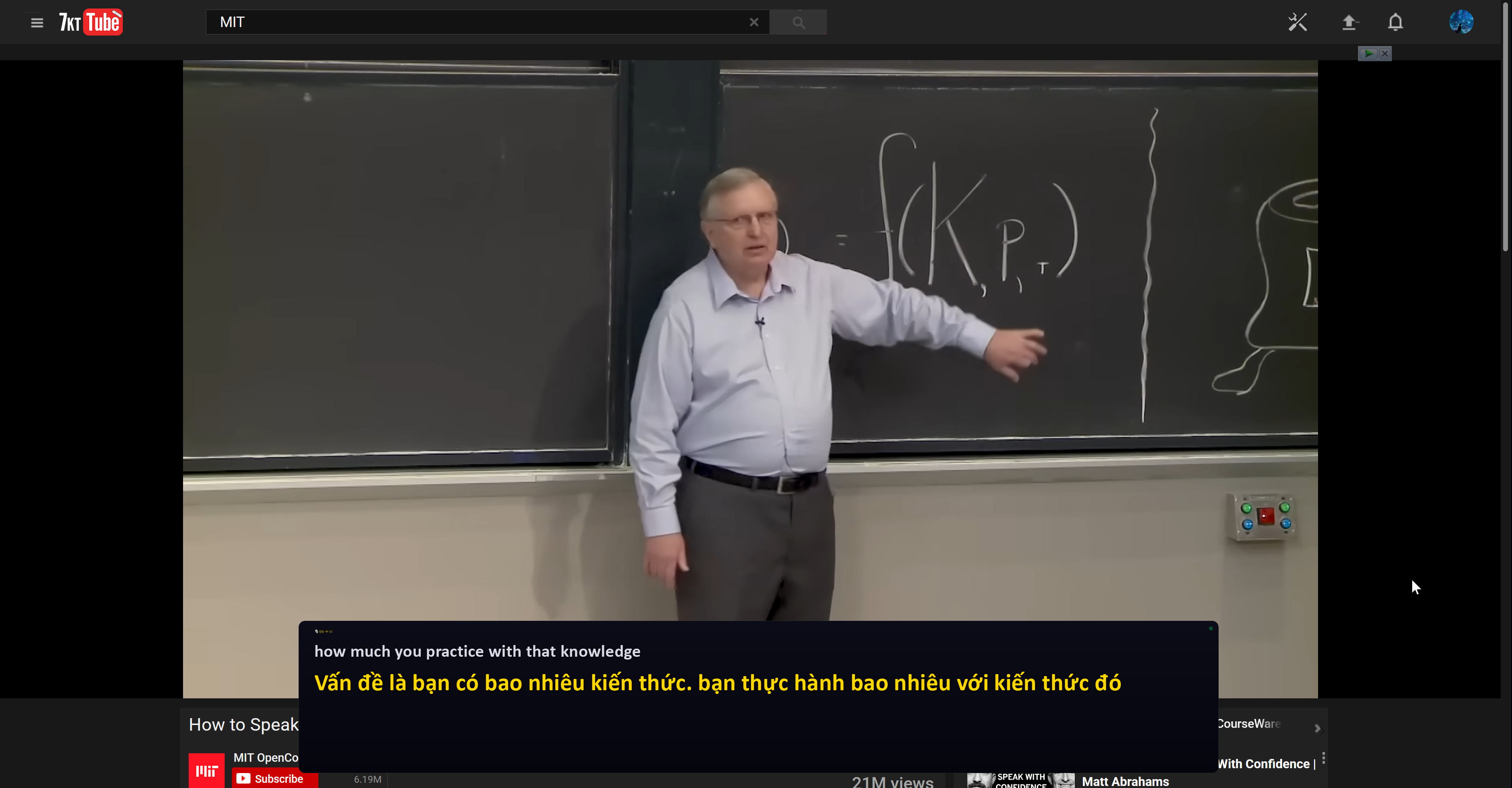
📺 See it in Action
Watch LiveTranslate translate speech in real time — right on your desktop.
Supported Language Pairs
Why LiveTranslate?
Everything you need to break language barriers — built for power users and casual viewers alike.
Real-Time Overlay
Seamlessly overlay subtitles on any application, game, or video stream without latency.
High Accuracy AI
Powered by advanced neural networks for precise and context-aware translations in supported languages.
Gemini 2.5 Flash & Azure AI
Choose between Gemini 2.5 Flash Native Audio for ultra-low-latency live transcription, or Azure Cognitive Services for enterprise-grade accuracy.
Dual Audio Source
Capture from your microphone or system speakers (WASAPI loopback) — translate videos, meetings, or games without a headset.
Seamless Integration
Compatible with your favorite platforms, browsers, and media players on Windows 10/11.
Quality Modes & Customizable Overlay
Three quality presets — Fast, Balanced, Accurate — plus full control over font size, opacity, and subtitle position.
How it Works
Up and running in under 2 minutes.
Install LiveTranslate
Download and install the lightweight application on your Windows device.
Configure Settings
Pick your AI engine, audio source (microphone or system audio), language pair, and quality mode via the tray icon → Settings.
Translate Instantly
Hit Start Listening (or press Ctrl+Shift+L) and see live subtitles overlaid on any video, call, or game — under 1 second latency.
Frequently Asked Questions
Everything you need to know before you start.
Yes — completely free and open source under the MIT license. No subscription, no watermark, no hidden fees. You only need your own API key for the AI provider (Google Gemini or Azure AI).
Cloud mode (Google Gemini / Azure AI) requires an internet connection. An offline mode with local language models is coming soon and will allow full translation without any internet access.
LiveTranslate supports two engines: Google Gemini 2.5 Flash Native Audio — a real-time WebSocket live API that transcribes and translates simultaneously for the lowest possible latency — and Azure Cognitive Services with Azure Translator for enterprise-grade accuracy. You can switch engines and add your own API keys in Settings.
Currently 10 translation targets from English: Vietnamese, Japanese, Chinese (Simplified), Korean, Spanish, French, German, Russian, Portuguese, and Italian. More source languages and pairs are on the roadmap.
With Gemini 2.5 Flash Native Audio, typical end-to-end latency is ~200ms on a standard broadband connection. Azure AI typically delivers results in 0.5–1.5 seconds depending on region. Use the Fast quality preset for live conversations or the Accurate preset for lectures and slower speech.
Yes. Switch Audio Source to System Audio in Settings → STT tab. LiveTranslate captures everything playing through your speakers via WASAPI loopback — no virtual audio cable needed. Requires Windows 10/11 and the bundled PyAudioWPatch driver.